Stop and Error
Stop and Error stops the current branch on purpose and records a failure for the run.
- Use it to
- Intentionally stop a run and mark it Failed with a custom error message and code
- Find it
- Tools → Flow → Stop and Error
- Cost
- Free (0 Step credits)
- Limits
- Terminal Step (no outgoing connections)
- Output
- Halts the run with your custom error message and optional error code
- Instead
- Do Nothing (when a branch should finish quietly as Completed)
Use it where an automation has reached a situation it should not carry on from. Data that did not check out, a record that came back empty, a permission that is missing. Record the reason and relevant data in the failed run.
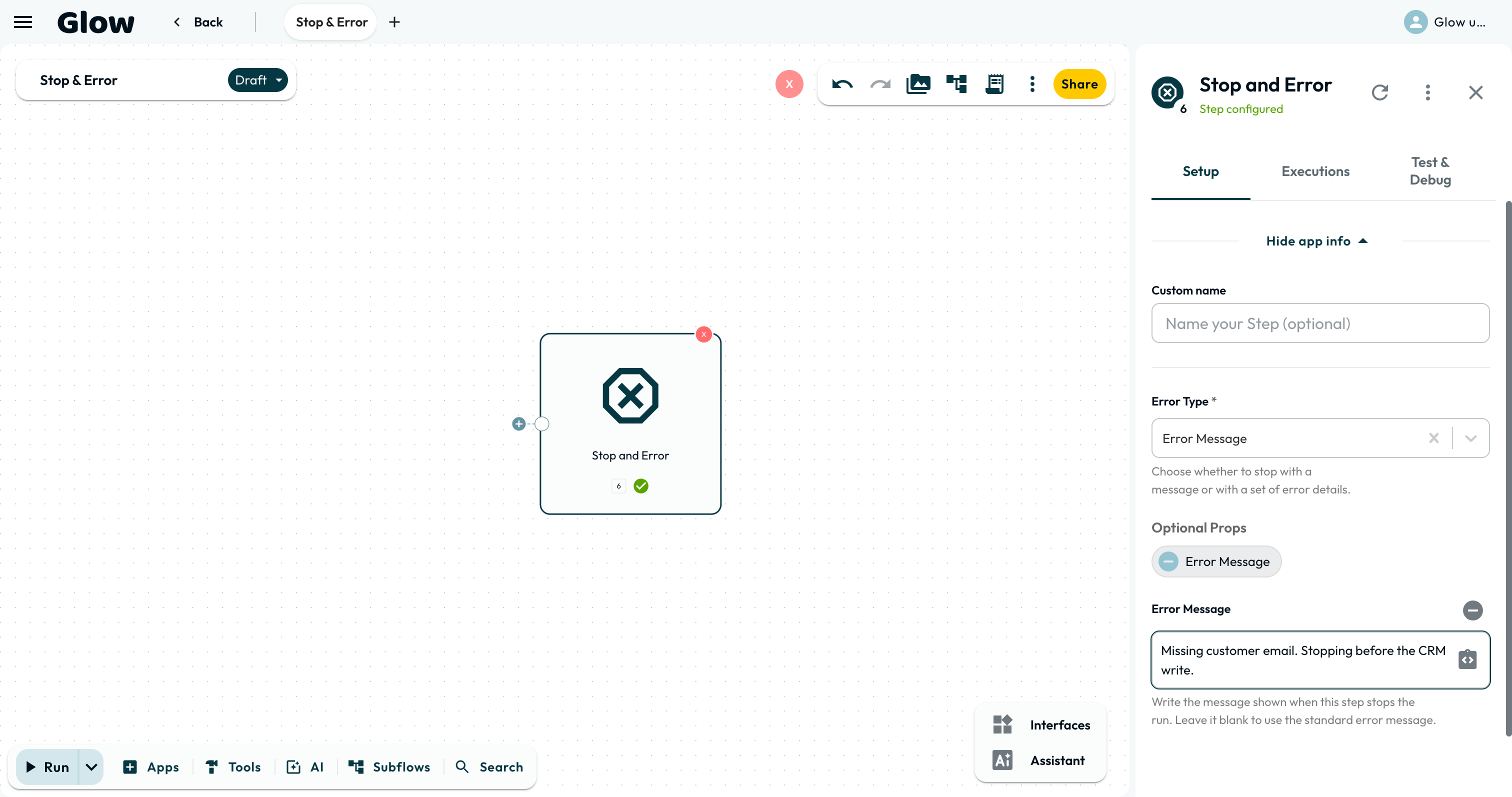
Setting it up
When execution reaches this Step, it records the failure and does not start any connected successor.
Place the Step
Add the Stop and Error step at the end of a branch where execution should not continue: the ELSE route of a validating Condition, or a Switch’s fallback.
Choose the Error Type and Message
Under Error Type, choose Error Message (default) to enter a plain error message, or Error Object to supply a structured JSON object (message, description, type, or custom metadata fields). It appears in the automation’s Execution log so your team can see why the run stopped.
Attach the data that caused it
Optional. Add the values that made the run stop, such as the record ID, the amount, or the status code. They are stored on the failure. When you open the run a week later, the message says what went wrong and this says which record it happened to.
Record a failed outcome
An empty branch can finish without marking the run as failed. Add Stop and Error when reaching that branch should count as failure.
The run history records the failed status, message and attached data. If someone must be alerted, configure an explicit notification before this Step or on an error-handling path rather than relying on the failed status alone.
What it passes on
Stop and Error returns no output. It records the message and any attached data on the failed run so your team can diagnose it from the execution log.
Limits
The Step stops its own branch, not work already running on other branches. It does not reverse completed external actions. No successor connected to this Step runs, including an Error Path, so place any required notification or cleanup before it.
Examples to copy
Reject a record that fails validation
Place Stop and Error on the ELSE route of a Conditions step. Use a message that names the rule and include the record ID as attached data:
Customer record failed validation: email address is missingMake a Switch fallback visible
Place Stop and Error on the fallback route when every expected value has its own case. Include the value that did not match so the execution log shows what needs a new route.
- Run
- Route a test run into the Stop and Error Step with a custom error message.
- You should see
- The branch stops immediately, no downstream Steps run, and the Execution log records the run as Failed with your message.
What’s Next?
- Decide which failures should retry before they halt in Error Handling & Retries.
- Catch unhandled cases on a fallback branch with the Switch Step.