Supported Integrations
Connect client systems using pre-built app actions, authenticated custom API requests, HTTP requests, and inbound webhooks. Choose the method each system supports and configure its credentials in that client’s workspace.
- Use it to
- Connect PSA, RMM, identity, EDR, documentation, and billing tools in each client workspace and manage partner OAuth app registrations
- Find it
- Canvas → Dock → Apps, Connections → Connections, or Clients → Settings → App registrations
- Limits
- Credentials and secrets resolve inside the client workspace where the automation runs · Public internet endpoints only
- Instead
- App Directory (to look up a specific vendor's authentication method and setup guide)
During execution, authenticated requests send credentials or authorization tokens to the configured service.
Build a reusable automation in your own workspace, then choose a deployment method for the client rollout. Review the results and complete each client copy before activation.
Connection Methods
Choose the connection method that fits the service and operation. How Glow Integrations Work covers the runtime, authorization, and controls for a technical review.
Pre-Built App Connections
Use Apps and Integrations when the service and operation are available in the catalogue:
- Open the automation canvas, click Apps in the dock, and select the application.
- Complete the app’s OAuth sign-in or credential form in the client’s workspace (revoked OAuth grants require reconnection).
- Pick the action or trigger in the App drawer and map inputs using dynamic variable tags.
Use the categories below to scope a project. The examples are common client systems to assess, not a guarantee that every operation has a pre-built action; see the App Directory.
| Category | Client systems | Example work to assess |
|---|---|---|
| PSA & Service Desk | ConnectWise PSA, Autotask, ServiceNow, Zendesk, Jira | Ticket dispatch, configuration records, agreements, technician time |
| Identity & IAM | Microsoft 365, Entra ID, Google Workspace, Okta | Approved provisioning, offboarding, licenses, groups, session revocation |
| RMM & Endpoint Management | NinjaOne, Datto RMM, ConnectWise Automate | Device alerts, hardware details, approved remediation |
| Documentation & CMDB | IT Glue, Hudu, ScalePad, Liongard | Asset records, warranty dates, contact synchronization |
| Cybersecurity & EDR | CrowdStrike Falcon, SentinelOne, Huntress, Duo | Detection intake, triage, authorized containment |
| Cloud Commerce & Accounting | Pax8, QuickBooks, Xero, Stripe | Subscription reconciliation, billing exceptions, accounting records |
| Alerts & Team Communications | Microsoft Teams, Slack, PagerDuty, Twilio | Notifications, on-call escalation, messages |
Partner App Registrations
Clients → Settings → App registrations lets an Admin in your practice’s workspace manage partner-owned OAuth app registrations. A registration identifies the OAuth client application used during sign-in; each client still authorizes their own connected account.
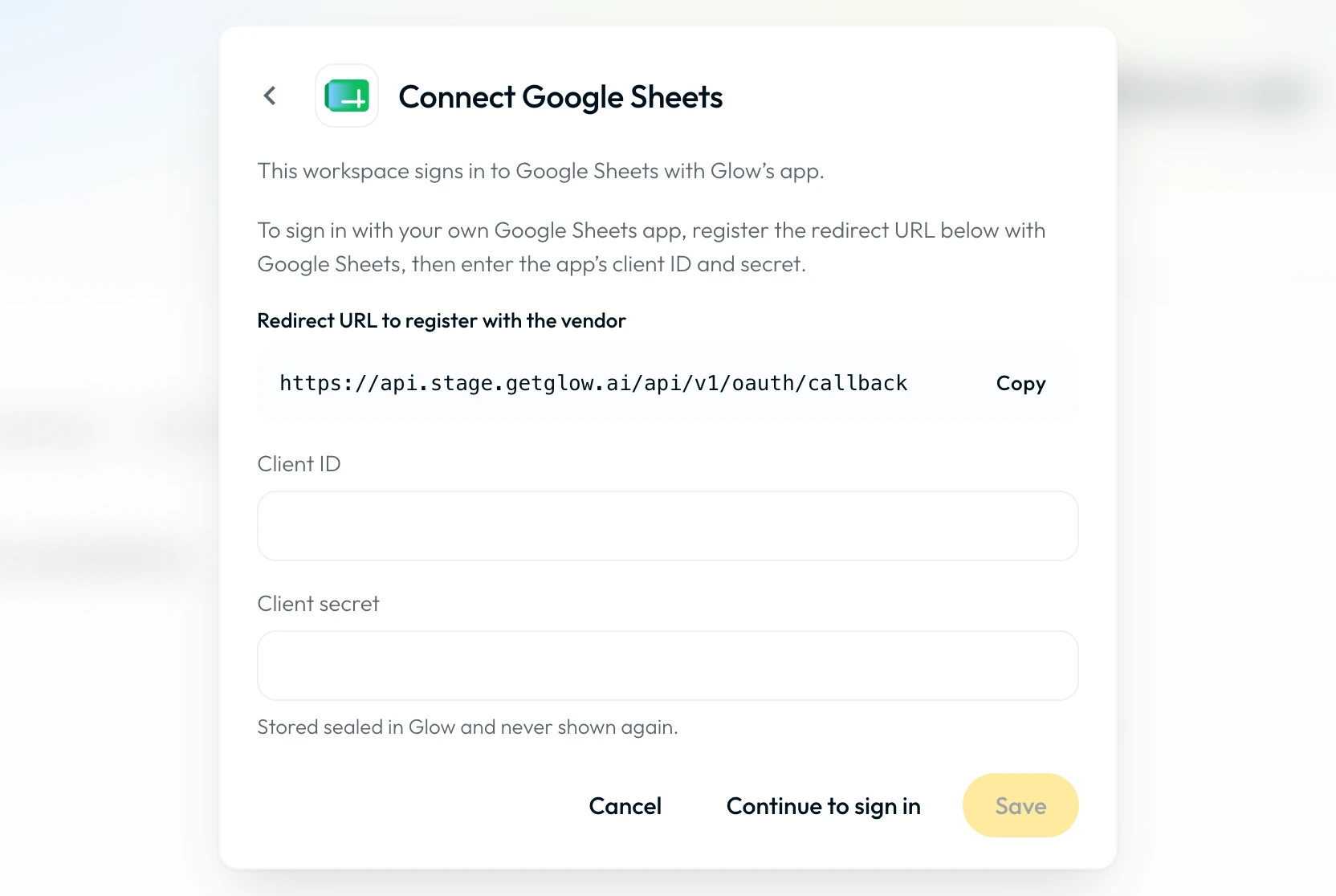
Record any partner registration used by a client and include it in handover planning alongside connection ownership. Ending management does not transfer a partner registration to the client; test the intended post-handover configuration before ending access.
Workspace Credential Isolation
App bindings, workspace variables, and secrets always resolve inside the client workspace where the automation runs. Clients can connect accounts and store credentials without exposing raw secret values to your practice. Review Step configurations and deployment receipts in Pushing Automations to Clients and see How Multi-Tenancy Works.
Explore Integrations & Blueprints
Compare connection methods for common MSP apps and identify other client systems that need API or event-delivery assessment.
App DirectoryExample automation patterns for onboarding, billing reconciliation, security alerts, and routine operations.
Automation Blueprints- Run
- Connect a test account or configure a secret in a client workspace and run a single Step test
- You should see
- The Step authenticates using the client workspace's own credentials and returns the expected response.
What’s Next?
👉 App Directory →: find the connection method available for a specific MSP platform.
Sideways from here: How Multi-Tenancy Works explains what stays inside each client workspace.