Glow as an MCP Client
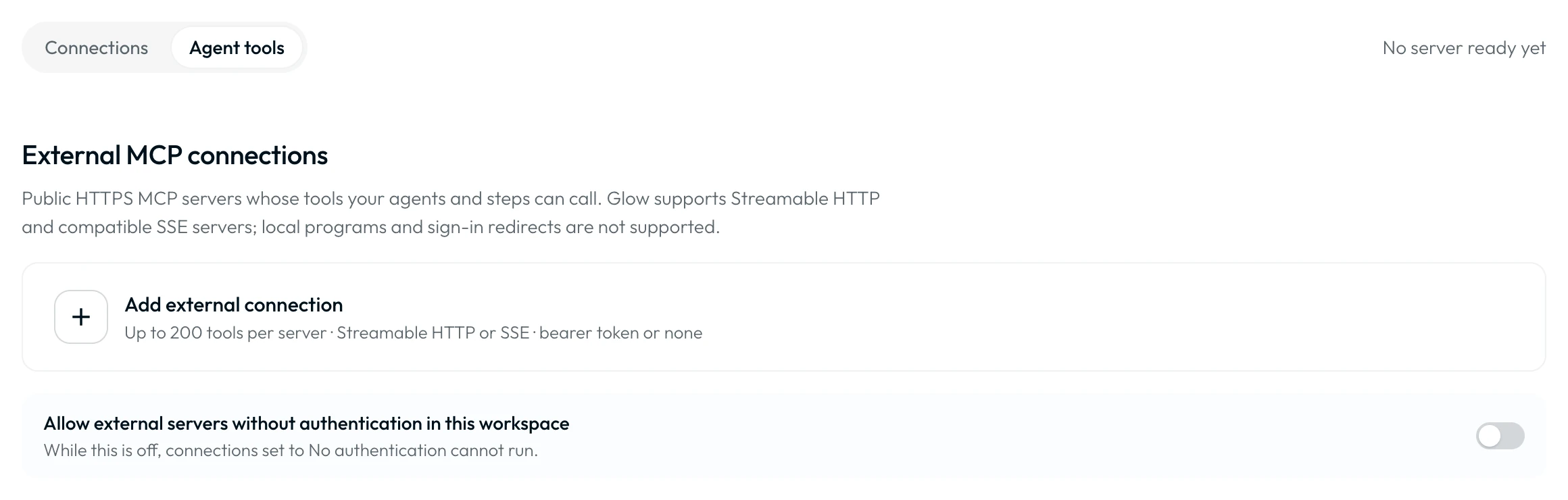
Connect canvas AI Agents to reviewed external MCP servers with scoped tool permissions and human approval gates. Admins register public HTTPS endpoints (Streamable HTTP or SSE) under Connections → Agent tools → Add external connection.
- Use it to
- Connect canvas AI Agent Steps to external HTTPS MCP servers with Admin-reviewed tool catalogues and per-tool human approval policies
- Find it
- Workspace Connections → Agent tools → Add external connection, then AI Agent Step → Tools → External tools
- Limits
- Public HTTPS endpoints only (Streamable HTTP or SSE) · Bearer token or Admin-enabled No authentication · New or changed tools stay withheld until reviewed
- Instead
- Native App Integration tools in AI Agent → Tools (when the service is already in Glow's built-in app catalogue)
To connect external AI apps (Claude, ChatGPT, Gemini, Cursor, VS Code) to build Automations instead, see Connecting AI Apps & Editors.
Connection and Tool Governance
Admins review external connections and tool catalogues first. Builders then select approved tools and configure approval gates on each AI Agent.
How AI Agents Use External Tools
Configured policy determines whether a tool call needs human approval, including read-only calls. Both routes must pass permission and connection checks before dispatch.
Check tool permissions, connection status, and arguments before sending the call.
Pause before dispatch for an authorized reviewer. Approval does not bypass permissions or connection checks.
{{ 2.result }}.Choose Between a Native App Tool and an External MCP Server
An AI Agent can call native Glow integrations and external MCP servers:
- Use when the service is in Glow's native catalog (Slack, Gmail, Jira, HubSpot).
- Authenticates via workspace app connections under Connections.
- Supports per-account default approval (none or require) plus per-action overrides.
- Use for internal services, custom tool servers, or specialized APIs.
- Authenticates with a server-level Bearer token or Admin-enabled No authentication.
- Tools are discovered dynamically, approved by an Admin, and governed per tool.
1. Select Permitted Tools
Saving a connection tests it automatically and opens Approve current catalogue. You can also open View tools or Review tools from the connection row. Builders then select approved tools under Tools → External tools.
New or changed tools stay withheld until an Admin approves them. Prompt instructions never bypass tool selection. Over MCP, builders can attach reviewed MCP connections and set toolApprovalPolicies via update_workflow (see Configuring glowAgent Parameters).
2. Human-in-the-Loop Review Gates
Enable Require approval by default in the AI Agent’s Tools settings. Set per-tool overrides under Action approval settings. Any action, including read calls, can require human approval. Approval requests can expire, and review never bypasses permissions.
3. Connection Credentials
External connections use a Bearer token or No authentication. Saving No authentication also enables unauthenticated external servers for the workspace. Admins can toggle that policy on the Agent tools tab. Glow sends bearer tokens server-side so credentials never enter prompts. Use a least-privilege token and require approval for tools that modify data.
- Run
- Attach an MCP server or connected app tool to an AI Agent Step and run a Preview test
- You should see
- The AI Agent discovers the tool schema and proposes or executes the tool call in the run timeline.