Templates and Reuse
Find a pre-built automation in the Marketplace and fork an independent copy into your workspace. Choose between an editable Step template for builders and a guided Form interface for runners.
- Use it to
- Browse the public Marketplace, fork a pre-built automation into your active workspace, and choose between Step, Form, and Chat interfaces
- Find it
- Left sidebar → Marketplace (or app.getglow.ai/templates)
- Cost
- Free to browse and fork (running the forked copy uses your workspace's Step credits and Glow AI tokens)
- Limits
- Forked automations install as independent Draft copies and cannot themselves be republished as templates
- Output
- An editable Draft automation in your currently active workspace
Pre-built automation blueprints from the Marketplace. Fork the full editable canvas into your workspace and customize Steps.
1. Step Templates (Marketplace)Selected Step fields presented as a form. Users supply inputs without editing the canvas; the workspace automation still needs its own configured accounts.
2. Form InterfacesAn operational table of publishable automations, their interface types, versions, and destinations.
3. The Deployment PageTemplates vs. Interfaces: Key Distinctions
A template supplies a copy; an interface determines how someone uses it. See Step Templates and Form Templates for their behavior.
| Concept | What It Is | Who Uses It | Canvas & Credentials |
|---|---|---|---|
| Step Template (Marketplace) | An editable automation blueprint. | Automation Builders: Users who want to fork, edit, and maintain the automation. | Full canvas copied; review or configure the destination workspace’s accounts. |
| Form Interface (Canvas / Deployment) | A form view exposing selected inputs on a workspace automation. | End-Users / Clients: People who simply submit requests or data to trigger the run. | Form view instead of the canvas; uses the running copy’s workspace connections. |
| Chat Interface (Chat Trigger) | A hosted chat page or a webhook endpoint for your own chat widget. | Chat Visitors & Teammates: People who converse with the automation interactively. | Uses workspace connections and returns the final Step’s reply; configure who can access the chat. |
Workspace credential and resource isolation: Cross-workspace template
copies strip all source account bindings and secret values automatically.
Remote resource pickers (such as Slack channels or spreadsheets), exposed
Custom Variables values, and email defaults are also cleared. Installed
Steps are renumbered 1..N in the author’s order, and surviving {{N...}}
references update to match. Review the blueprint structure and select your own
workspace destinations before running.
The Public Marketplace
Open Marketplace in the sidebar, or browse the public gallery:
Public Template Gallery: https://app.getglow.ai/templates/
Finding a Template
Search by title, app, or author name (case-insensitive; multi-word queries match across those fields). Browse Top categories, filter official templates by By Glow, or sort All templates by Most recent, Most installed (distinct workspaces), Alphabetical, or Fewest steps first. Click a card to open its detail page. Step badges are numbered 1..N in execution order, and signed-in users can report a listing if needed.
Featured by Glow team highlights curated templates; see Publishing Updates for how new versions affect featured status.
Forking a Template
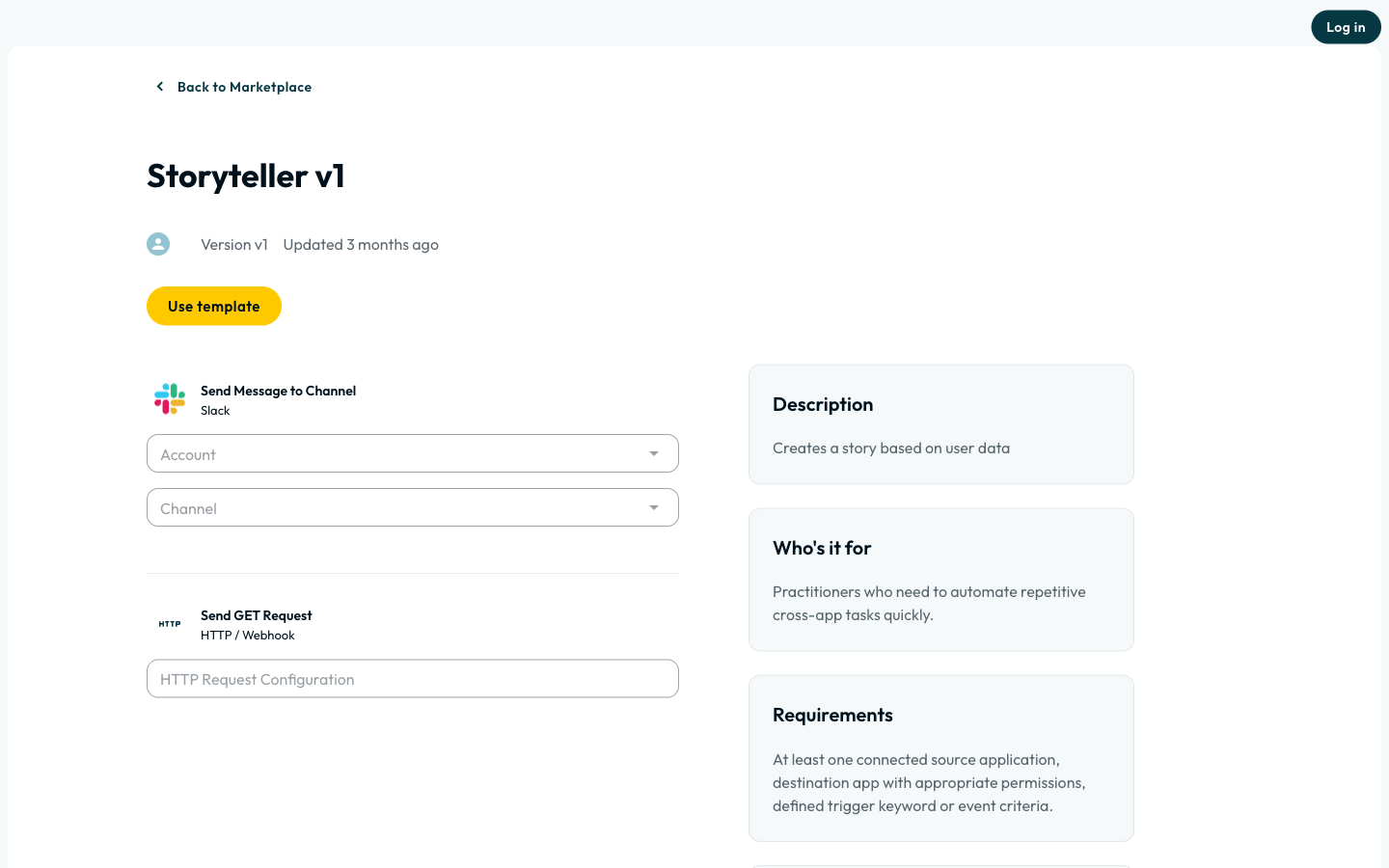
Click Use Template and Confirm Settings
Open the template detail page and click Use template. In the confirmation dialog, choose your target Workspace (Viewers are hidden) and review required Apps (Connected or Connect) and setup time. Pick Visibility (Private or Team, defaulting to the workspace default capped at Team) and set an optional name. If the workspace already has a copy, the dialog offers Open existing copy alongside Create new copy.
Inspect Your Renumbered Draft Copy
Click Confirm (Creating your copy...) to open the new Draft copy in your chosen workspace. Glow compacts Step numbers to 1..N and rewrites {{N...}} and {{$webhook.N...}} references automatically.
Connect Accounts and Select Your Resources
Glow binds an app connection automatically when your workspace has a single healthy match. The author’s channels, email addresses, remote pickers, and exposed Custom Variables are cleared on install. Select your own workspace channels, spreadsheets, and variables before testing or going Live.
Test with non-production destinations: Your forked Draft is independent of the original template. When testing Steps that connect to external apps, select test channels or spreadsheets first so manual runs do not write to production systems.
An automation you forked from a template cannot itself be published as a template. To share an adapted version, build it in an automation that did not start as a fork. See Publishing Templates.
When the Original Template Is Updated
Publishing a new version of the source template updates the Marketplace listing. Existing copies keep the version they were created from, shown under Workflow Settings. On Form interface copies, a banner announces new versions and Show details compares the changes.
Updates are not automatically applied to your copy. Check the updated template in the Marketplace, apply the changes you want by hand, and test the affected routes before relying on them.
- Run
- Open a template in the Marketplace, click Use template, choose your workspace and visibility, and confirm
- You should see
- Glow creates an independent Draft copy numbered 1..N in your chosen workspace ready for you to connect accounts and test.
What’s Next?
- Step Templates: understand the editable copy and choose a template type.
- Form Templates: expose selected Step fields as a form for workspace users.
- Publishing Templates: publish and update your own templates.