Working With Clients
Build and operate automations across client workspaces from a single login. Glow is an agentic automation platform with built-in human governance. Each client’s automations, connected accounts, and run history are scoped to their workspace. Delegation grants govern your partner access; direct workspace memberships are managed separately.
- Use it to
- Build, deploy, and monitor automations across isolated client workspaces from one partner login
- Find it
- Left sidebar → Clients (/app/console/msp)
- Limits
- Isolated per-client workspaces · Time-boxed delegation grants
- Instead
- Direct workspace membership (when operating inside a single shared team without a partner console)
Deliver your first client automation
Start with Your First Client Automation. The guide takes you through client access, preparing an automation, deploying a client-owned copy and testing it before switching to Live. Finish by agreeing who monitors it, maintains connections and reviews access.
Your client console must be enabled before you begin. If it is not available, follow Getting set up below.
Choose the path that fits your practice
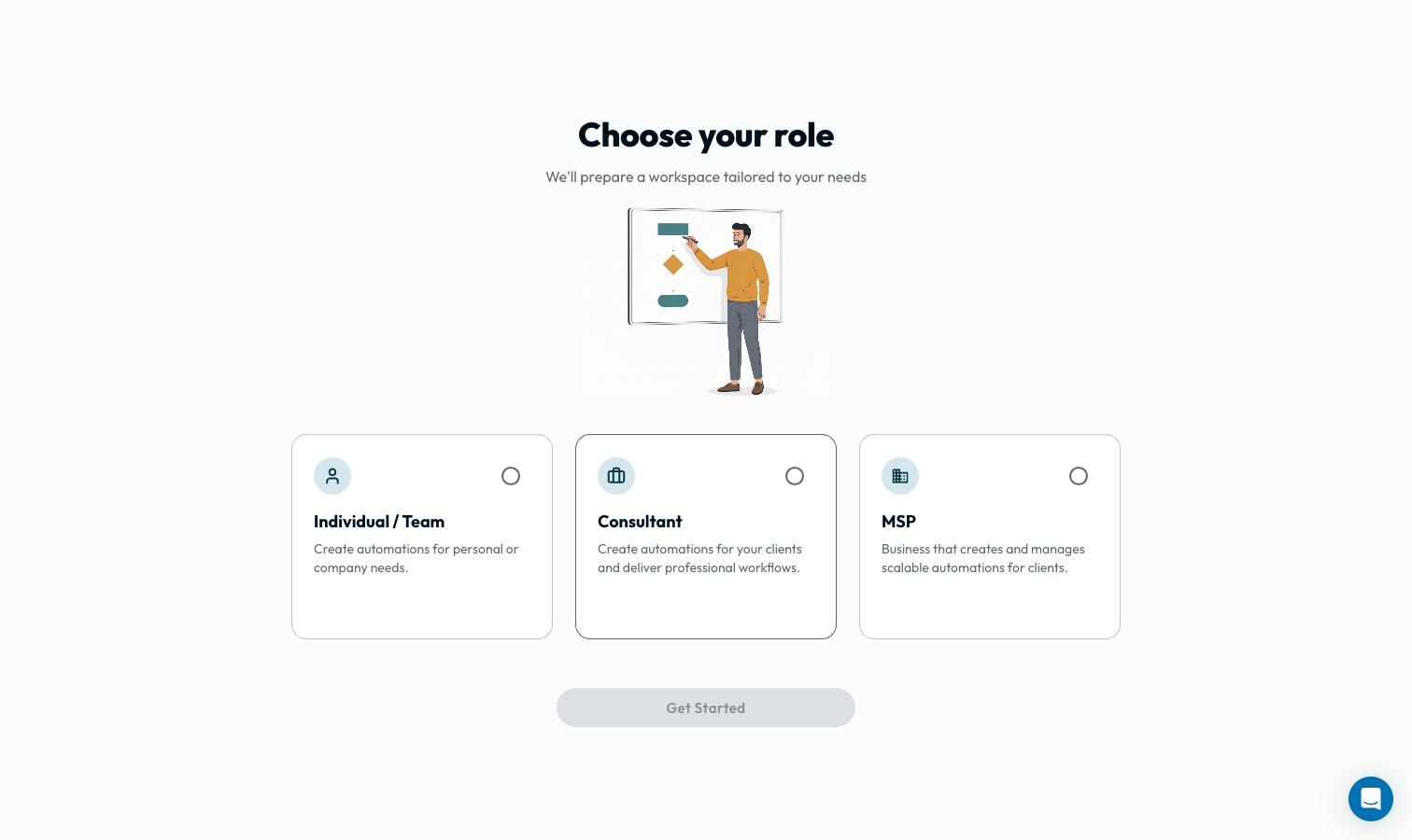
Select your role during onboarding to configure your console and client consent screens:
Consultant
Projects delivered to clients, then handed over.
MSP
Client automations you run and maintain on an ongoing basis.
Both paths share the same core features: delegation grants, recorded session access, cross-workspace deployment, and a console for the clients you are authorized to manage.
What does differ is the shape of the work, and it shows up in three places in this section:
| Consultant | MSP | |
|---|---|---|
| Bringing a client in | Invite them to create the workspace and establish their own Admin membership. | Creating it yourself suits a workspace you will be operating. |
| Access planning | For an existing workspace, request access for the project duration. Review access at handover. | For an existing workspace, choose a duration that fits your next access review. |
| When it ends | End delegated access; delivered automations remain in the client workspace. | It does not, usually. Reviews and scope changes take the place of an ending. |
For MSPs & IT Service Providers
Managed Service Provider (MSP) Practice
MSPs operate client automations over time, with agreed monitoring, maintenance, and escalation responsibilities:
- Your Stack: PSA service boards (HaloPSA, ConnectWise, Autotask), RMM agents (NinjaOne, Datto RMM), Directory services (Microsoft 365, Entra ID, Google Workspace), EDR threat feeds (SentinelOne, Huntress, CrowdStrike), and CSP billing (Pax8).
- Common Uses: Routing routine support tickets, coordinating user onboarding and offboarding, reconciling license assignments with billing, and collecting records for compliance reviews.
- Operational Workflow: Build reusable patterns in your primary workspace, deploy selected automations to one client at a time, then review the receipts and client copies before activation. Monitor completed and failed client automation runs and current alerts from Clients, separately from your own workspace’s Dashboard.
- Key Resources:
These are suggested working practices. The grant terms depend on the route you choose in Client Onboarding.
Already signed up as an Individual / Team? Changing your role answer later does not enable the client layer. Use the support route below to ask about your workspace.
Getting set up
Start with your own workspace, then check that your client console is available before inviting a client.
Sign up and say what you are
After naming your workspace, How will you use Glow? asks what you plan to do. Select Managing clients and building for them, then I’m a consultant or We’re an MSP business. You can select other uses too. During eligible first-time onboarding, choosing Consultant or MSP enables the client layer for your new, independent one-person workspace. See Account & Authentication.
Build in your own workspace
Start by connecting your own accounts and building automations in your workspace. Once the client layer is enabled, the push process copies a reviewed automation into each client’s workspace.
Check your console or ask for help
Look for Clients in the sidebar, then Invite client in Overview. If the console is unavailable, ask about enabling the client layer through Support . This is also the starting point for a freelancer with their first client and no account team. Include your workspace name, roughly how many clients you plan to manage, and what you want to automate. If you already have an account team, contact them instead.
A management grant does not establish billing sponsorship or paid capacity. See Sponsorship & Changing Payer and Invoices & Payment Methods.
The rest of this section
The pages below follow the order the work happens in, grouped by stage.
Understand workspace isolation in How Multi-Tenancy Works and review tiers, scopes, and impersonation in Governance & Impersonation.
1. Model & GovernanceBring clients in with Client Onboarding, then follow Your First Client Automation from setup through handover.
2. Onboarding & First RolloutCompare Admin Push and Workspace Deployment, copy automations to clients, and monitor runs in Your Console.
3. Deployment & Fleet ConsolePlan client connections in Supported Integrations, browse the App Directory, and adapt Automation Blueprints.
4. Integrations & Blueprints- Run
- Open the left sidebar in your practice workspace and select Clients
- You should see
- The Clients console opens with Overview and Invite client ready to onboard your first client workspace.
What’s Next?
👉 How Multi-Tenancy Works → explains the model in one page, opening with a two-minute walkthrough. Then follow Client Onboarding to get started.