Use Cases & Examples
Adapt a complete automation example to your connected apps, data fields, and routing rules. Each guide walks through prerequisites, field mappings, and sample-payload checks before you switch to Live.
- Use it to
- Browse 9 end-to-end automation blueprints across customer support, sales, and operations with step-by-step setup and verification
- Find it
- Automations → Create new → Workflow (or click Open in Glow on any example page)
- Cost
- Varies by blueprint (1 Step credit per paid action Step · Glow AI tokens for AI Prompt and AI Agent Steps)
- Instead
- Templates and Reuse (/getting-started/templates/overview) to fork a pre-built automation directly from the Marketplace
Find Your Starting Point
New to app actions? Start with Google Sheets: Read and Write Data to verify a connection with a read before testing a write.
Build a hosted chat assistant with recent conversation history. Choose public or workspace-member access before sharing the link.
Conversational AI & Web ChatClassify email, apply Gmail labels, prepare drafts, and send urgent alerts to Slack. Test archiving on a dedicated mailbox.
Email TriageRoute high-value HubSpot deals to Slack using a numeric rule and format the amount in the message.
Deal AlertsFeatured Examples
These canvas layouts show how the Steps connect. Follow each guide to configure accounts, permissions, and tests.
AI Web Assistant (2 Steps)
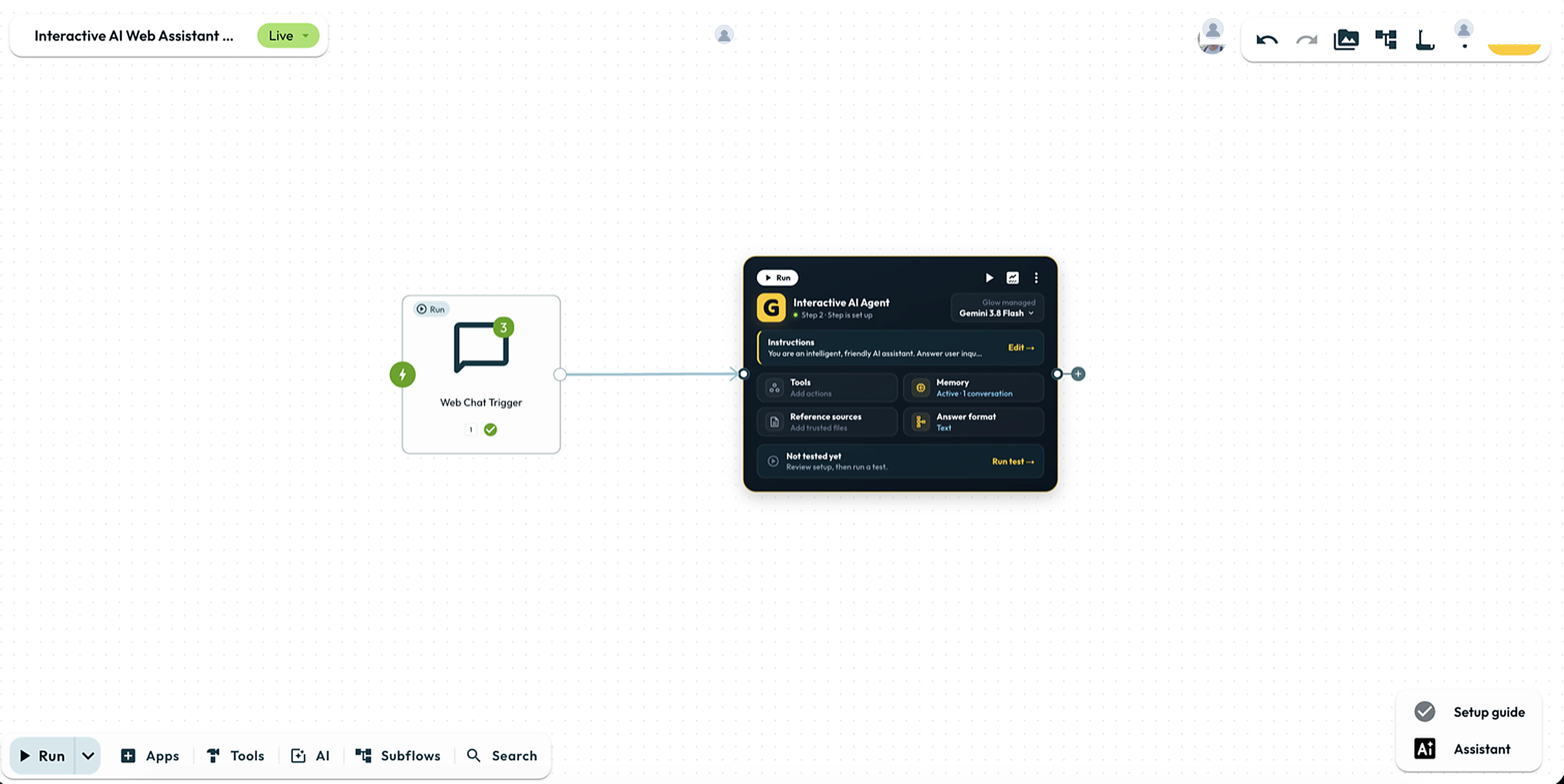
Chat Trigger provides a hosted page and recent history. AI Agent uses that history in its instructions, and optional Agent Memory uses {{ 1.sessionId }} without needing a return edge.
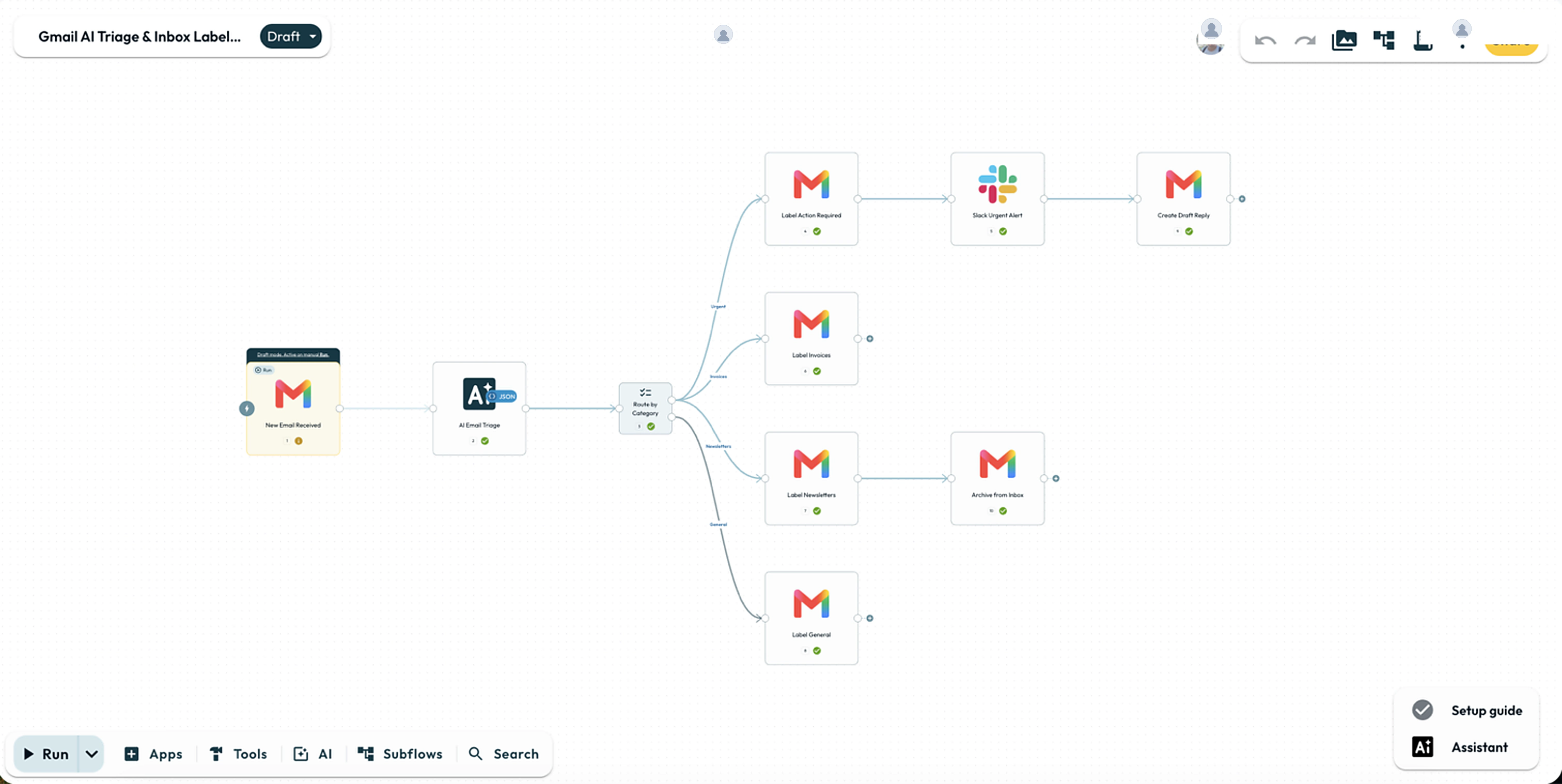
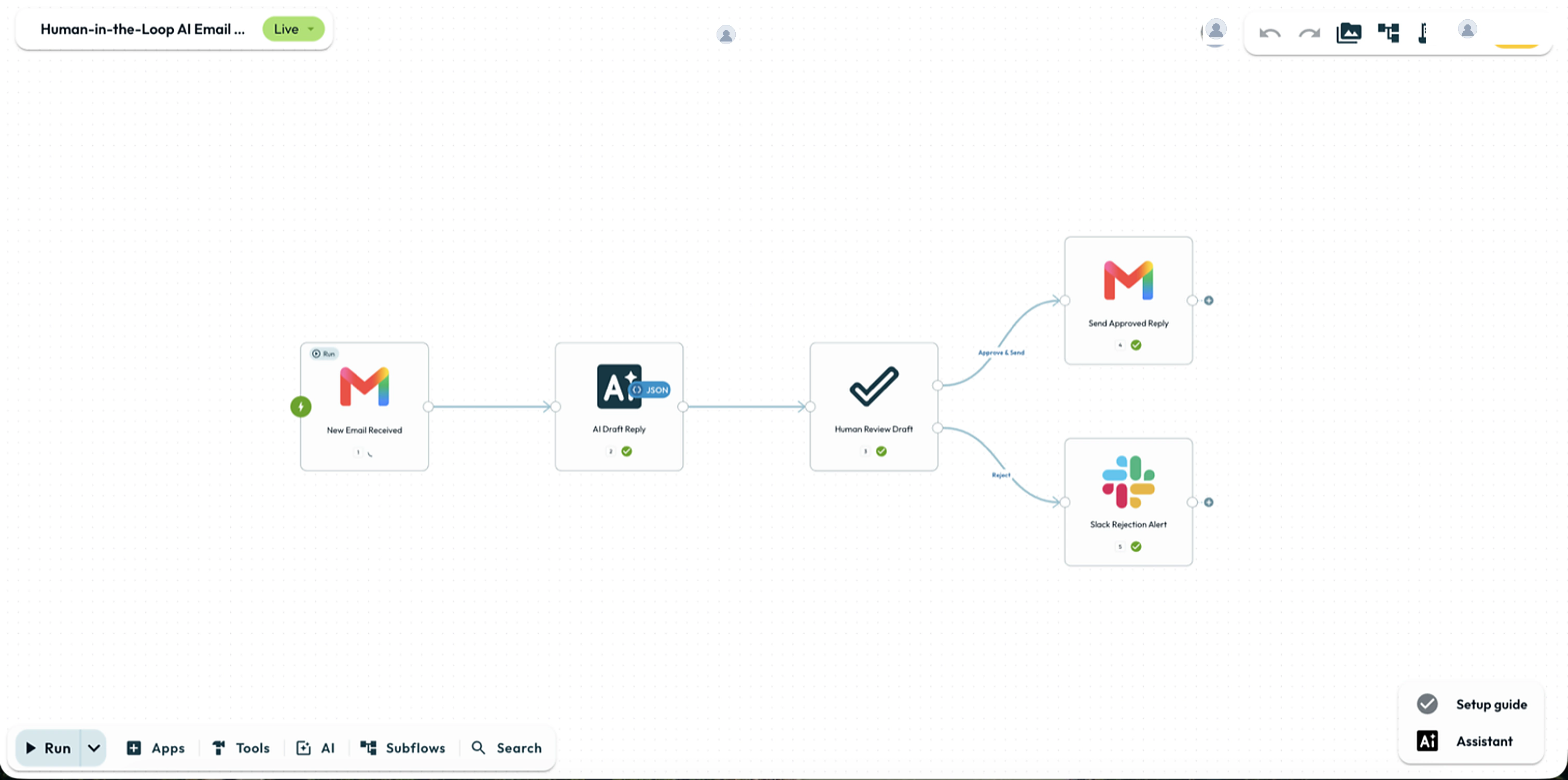
Automation Directory
Each entry below summarizes the core Step chain and setup time.
All Examples
Operational Verification Before Going Live
Manual runs execute live app actions. Running an automation or chat test in Draft calls your connected services for real while keeping automatic triggers off. Point write Steps at test destinations or pin their outputs until you are ready to go Live.
These checks are for your review only. They are not saved, and Glow does not verify or change your automation.
Verify the connected account, scopes, and test destination on every action Step.
Check actual output references such as
{{ 2.result.category }}using the Step numbers on your canvas.Test each branch and inspect destination records before retrying a failed or timed-out write.
- Run
- Open any example guide from the directory, build or open its Draft on the canvas, and run one test with sample data against a test destination
- You should see
- Every branch, field reference, and destination write matches the example's verification checks before you switch to Live.
What’s Next?
- Build Your First Automation: Start without external app connections.
- Choose the Right Step: Compare triggers, actions and routing Steps.
- Before You Turn It On: Check the complete process before enabling automatic intake.