AI Agent
Give an autonomous AI Agent a goal and tools so it can reason and act. It reads your instructions, calls tools, and stops when done or when a limit is hit. For one generated answer without tools, use AI Prompt.
- Use it to
- Pursue a goal across multiple turns using web search, app actions, subflows, MCP tools, and memory
- Find it
- Tools → AI → AI Agent
- Cost
- 0 Step credits for the Agent Step · Uses Glow AI tokens (plus Step credits for paid app tools)
- Limits
- Defaults: 10 iterations (max 50) · 40 model calls (max 200) · 25 tool calls (max 200) · 180 s active time (max 600 s)
- Output
- {{ N.result }} (or structured schema fields), {{ N.estimatedCreditsUsed }}
- Instead
- AI Prompt (single-turn generation, classification, or extraction without tools)
| Attribute | Value |
|---|---|
| Default model | Gemini 4 Argon, Glow managed (or connect OpenRouter) |
| Runs per item | No. Place inside a Repeater |
| Typical cost | ~14 credits without tools; 150 to 460 with search or app tools (Cost) |
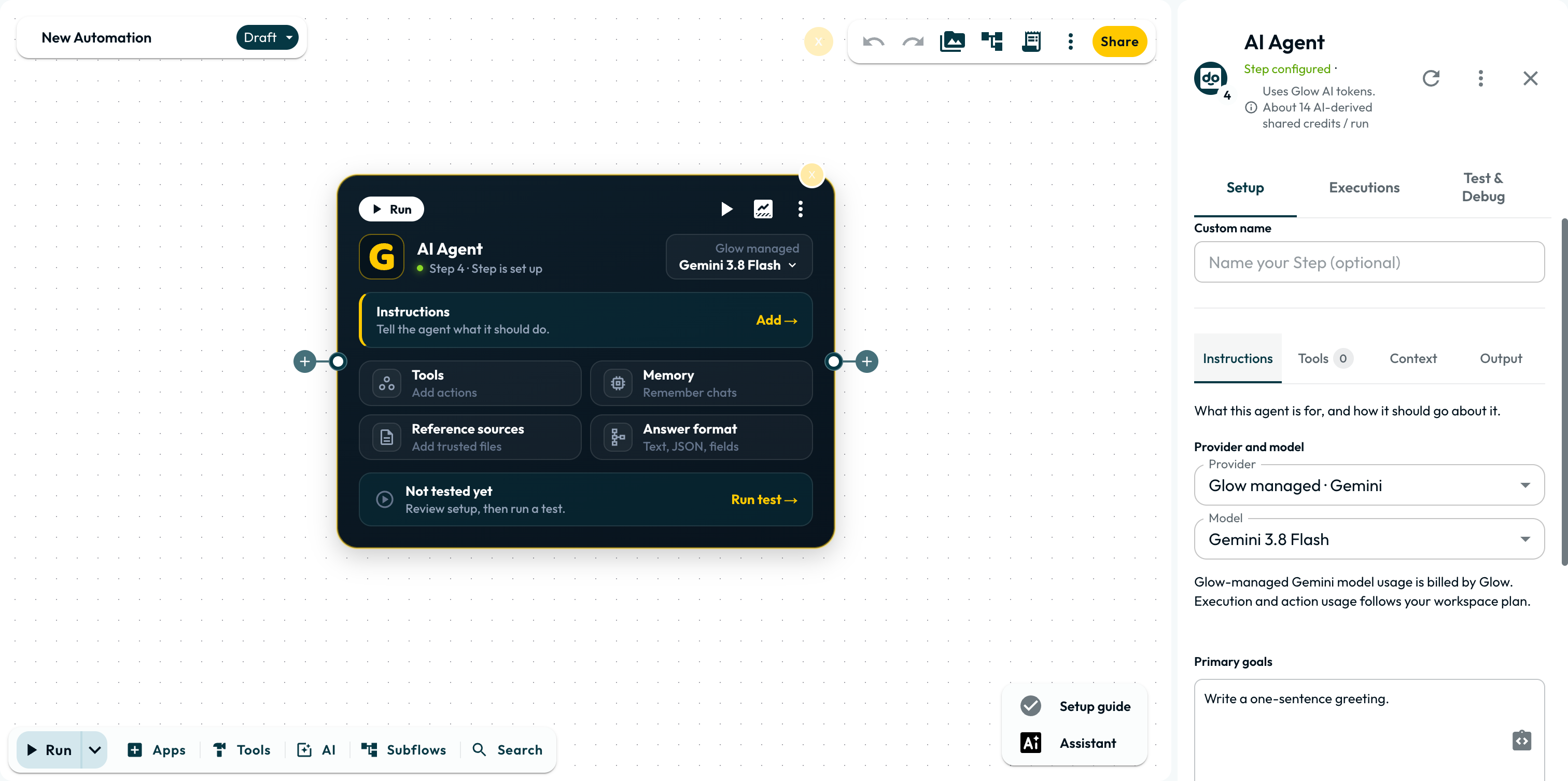
Setting it up
Configure the agent across four tabs in the App drawer:
- Instructions: Write the goal, input (
Classify this email: {{ item }}), and completion criteria. Identity, Style, and other guideline chips are optional. - Tools: Pick the helpers, app actions, workflows, or MCP tools the agent may call.
- Context: Enable Conversational Memory or attach reference files.
- Output: Choose Text, JSON, or Separate fields to validate the reply shape.
Replace the default instruction. New AI Agents start with Write a one-sentence greeting. Replace it with your goal and map fields from
Workflow data.
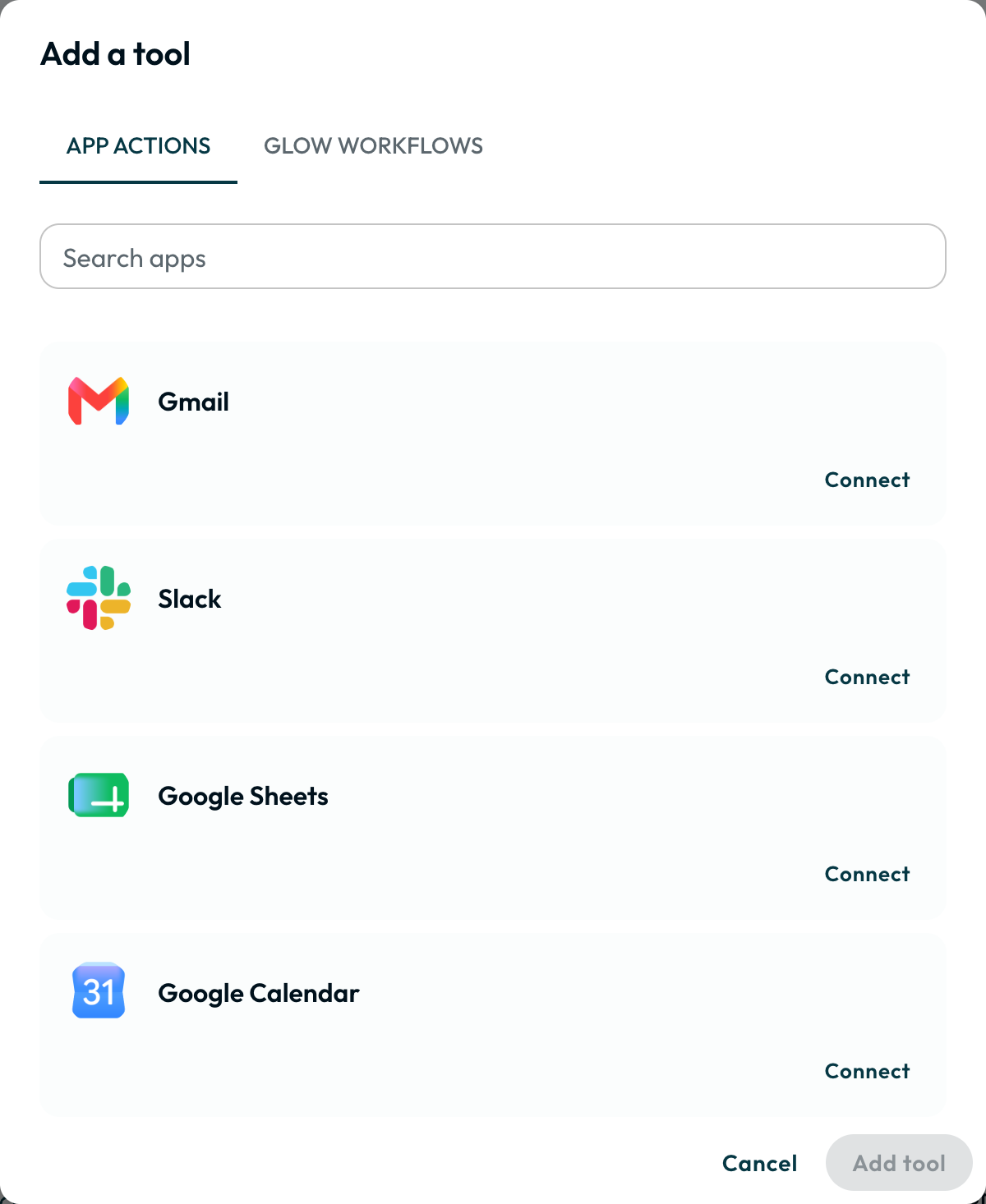
Tools and approvals
| Tool type | Included capabilities | Default |
|---|---|---|
| Built-in helpers | Search the web, Read a web page, Run code, Search reference files, Recall conversation | On (turn off unused ones) |
| App actions | Actions from connected apps like Gmail or Slack | Off (add via Add tool) |
| Glow workflows | Reusable automations called as a Subflow | Off |
| MCP tools | Tools from an external MCP server registered by an Admin | Off |
Set approvals per account and action in Tools, never in the prompt. Read-only actions (finding an email, listing Slack users) run immediately. Write actions with approval enabled pause the run until someone clicks Approve or Reject in Executions or Approvals.
Gate writes on untrusted text. Incoming emails, forms, or web pages can contain prompt injection. Require approval on any tool that sends, updates, or deletes data.
What it passes on
The agent returns its answer in {{ N.result }} and its credit estimate in {{ N.estimatedCreditsUsed }}. Inside a Repeater, When finished lists every pass under {{ N.results }}. Intermediate reasoning stays internal.
| Answer format | Behavior | Downstream reference |
|---|---|---|
| Text | Plain prose reply without JSON parsing. | {{ 2.result }} |
| JSON | Parses JSON without enforcing specific fields. | {{ 2.result.field }} |
| Separate fields | Validates the reply against declared fields and types. | {{ 2.result.lead_score }} |
With Separate fields selected, define the schema in one of three ways:
- Fields: Add rows, pick a type (
text,number,yes/no,list,group), and mark required fields. - Advanced (JSON Schema): Paste or edit a JSON Schema object.
- From a previous run: Click Use this to prefill from the last output, or Set it up myself.
Mark fields required before using them in a Condition. Switching to Text or JSON keeps your saved schema inactive until you re-select Separate fields (optional shape repair).
Test before wiring downstream Steps. Preview runs the real model and read-only tools without sending writes (Run an isolated test).
Limits
Adjust bounds under Advanced runtime limits (clear a field to restore its default):
| Limit | Default | Range | Behavior |
|---|---|---|---|
| Iterations | 10 | 1 to 50 | Caps reasoning turns per run. |
| Model calls | 40 | 1 to 200 | Counts main turns, helper sub-agents, retries, fallback, and output repair. |
| Tool calls | 25 | 0 to 200 | Counts proposed, denied, and corrected calls (resuming an approval counts 1). |
| Active time | 180 s | 10 to 600 s (excludes approval wait) | Caps active runtime and reserves the final 20% (6 to 25 s) for the reply. |
| Estimated credits | Off | 1 to 1,000,000 | Stops new turns once estimated usage hits the cap (in-flight calls finish). |
Hitting any cap fails the Step with AGENT_LIMIT_REACHED, saves partial work in partialOutput, and skips automatic retries.
Cost
The Step header estimate (About 14 AI-derived shared credits / run) assumes no tools. Equipped tools add schemas and results to each turn:
| Scenario | Typical credits | Why |
|---|---|---|
| Classify a short email, no tools | 14 to 15 | One model call with prompt and reply tokens. |
| Same task with web search | ~162 | Runs a search model call plus a synthesis turn. |
| Same task with the Slack tool (list users, DM) | ~458 | Sends app tool schemas and lookup outputs on each turn. |
Check {{ N.estimatedCreditsUsed }} or Executions after a run. Disable unused helpers, pick Selected actions instead of Whole connection, and set an Estimated credits cap. Review spend in Billing & Usage.
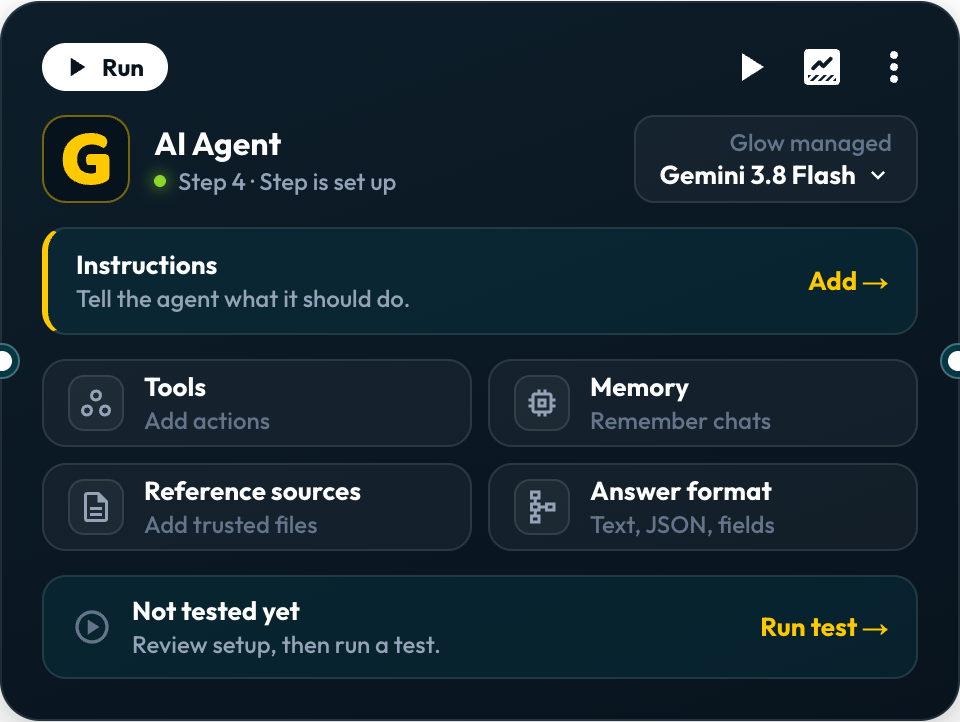
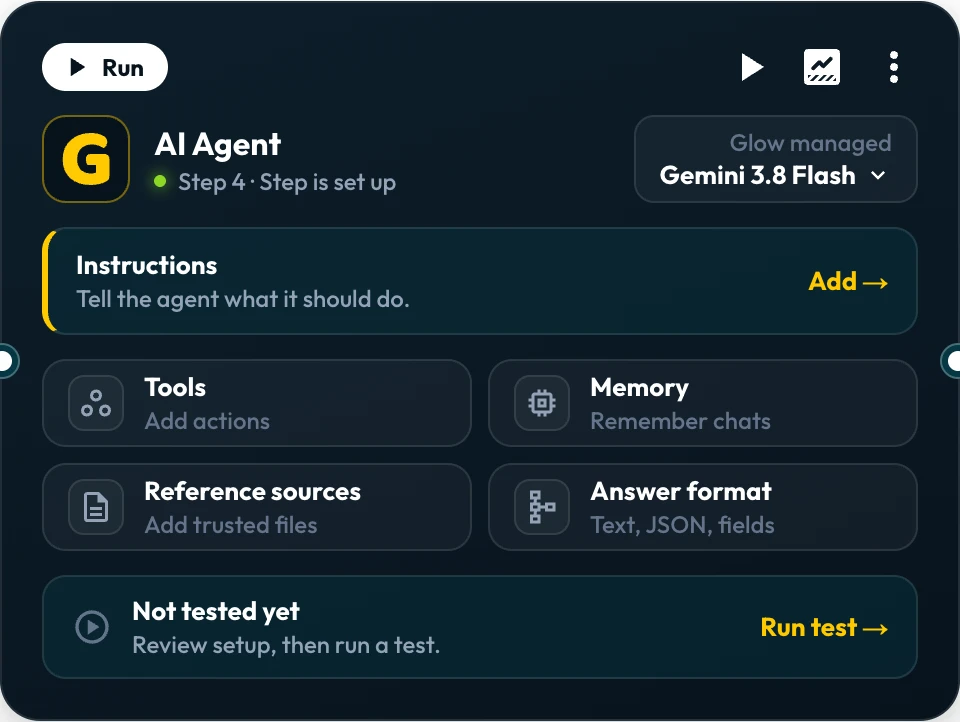
The AI Agent canvas card
Click any tile on the card to open its section in the App drawer:
- Instructions: Click Add → or Edit → to edit the brief.
- Tools: Shows
{N} apps · {M} total actionsacross apps, subflows, and MCP tools. - Memory & Reference sources: Opens Context for memory and workspace files.
- Answer format: Opens Output to pick Text, JSON, or Separate fields.
- Header & Footer: Header holds model selection, Executions, Test & Debug, and ▶ Run. Footer has Run test → and Inspect → (Test an AI Agent).
Configured Agent Card
The automation hands the agent its brief and waits.
Shape the behaviour
In Instructions, click any + Label chip under Advanced prompt guidelines:
Prompt Guidelines
| Chip | What it controls |
|---|---|
| Identity | Role, persona, and domain expertise. |
| Background information | Product, customer, or workspace context the model cannot infer. |
| Dos and Don’ts | Desired and prohibited behavior in prose (not a hard permission gate). |
| Tool Instructions | Which tool to call first and when. |
| Safety guidance | Content rules for replies (enforce tool permissions under Tools). |
| Error Handling | How to respond when a tool or lookup fails. |
| Style | Tone, length, and layout (configure JSON or schema in Output). |
| Examples | Sample inputs paired with target outputs. |
Leave Conversational Memory off unless runs share history (choose which runs share memory).
Execution safeguards and recovery
Duplicate action safeguards
A new run does not undo earlier tool calls and can repeat writes. Check Executions before retrying (recovering from a failed run).
Automatic output schema validation & repair
Separate fields validates the reply against your schema, while JSON only parses it. Optional repair runs at most one extra AI call without re-running tools.
Can the AI Agent run for each item?
AI Agents run once per execution and do not use Run for each item. Place the agent inside a Repeater or call a Subflow:
How the agent reaches your accounts
App tools use the connection bound to each tool. Glow verifies permissions before every call and rejects disconnected or removed accounts.
Looking up values for an action
Activity entries labeled Look up values: … are read-only option lookups (folder, label, or sheet IDs). If a lookup finds no match or needs a parent field, paste the exact ID in Instructions.
Approving what the agent does
- Pauses mid-run before calling a protected app or MCP tool.
- Approve or Reject in Test & Debug, Executions, or Approvals.
- Enforced in Tools settings, never by prompt text.
- Pauses after the agent finishes and before later Steps run.
- Routes down Approve, Deny, or custom branches with form inputs.
- Cannot undo tool actions the AI Agent already executed.
Use Human Review to gate downstream Steps. Never equip an unapproved tool for an action that a downstream Human Review Step gates.
Examples to copy
Copy prompts and Separate fields schemas from the testing guide:
Research a prospect with web search and return company facts.
B2B Company & Prospect ResearchTriage tickets with CRM lookup, a draft reply, and routing fields.
Customer Support Triage & Sentiment RouterAnalyze incident logs with GitHub issue lookup and a Jira summary.
DevOps Incident & Log Analyzer- Run
- Replace the default instruction, click Run test on the card, and choose Preview
- You should see
- Read-only tools run and return {{ N.result }} and {{ N.estimatedCreditsUsed }}, while writes stay Proposed.
What’s Next?
- 👉 Test an AI Agent →: Preview, Live test, and approvals.
- How testing works: compare Testing data, Pin output for tests, Preview, and Run.
- Credits & Allowances: see how Step credits and Glow AI tokens are billed.